Password management has become a critical aspect of safeguarding your digital life in an age where online security is paramount. With the proliferation of online accounts, keeping track of multiple complex passwords can be a daunting task. This is where password managers step in as your virtual guardians, ensuring your sensitive information remains secure while simplifying your online experience.
We’ll be taking an in-depth look at six password managers: NordPass, Keeper, LastPass, 1Password, RoboForm, and Sticky Password. Each tool offers its unique set of features and benefits, catering to different needs and preferences.
Beyond discussing the individual strengths of these password managers, we’ll explore key factors to consider when making your choice. Security, usability, cost, and the specific needs of individuals and businesses all play a role in determining the best fit. By the end, you’ll have the knowledge needed to confidently select the password manager that best suits your digital lifestyle.
When choosing a password manager, keep these tips in mind for creating secure passwords for any account:
Create Strong, Unique Passwords
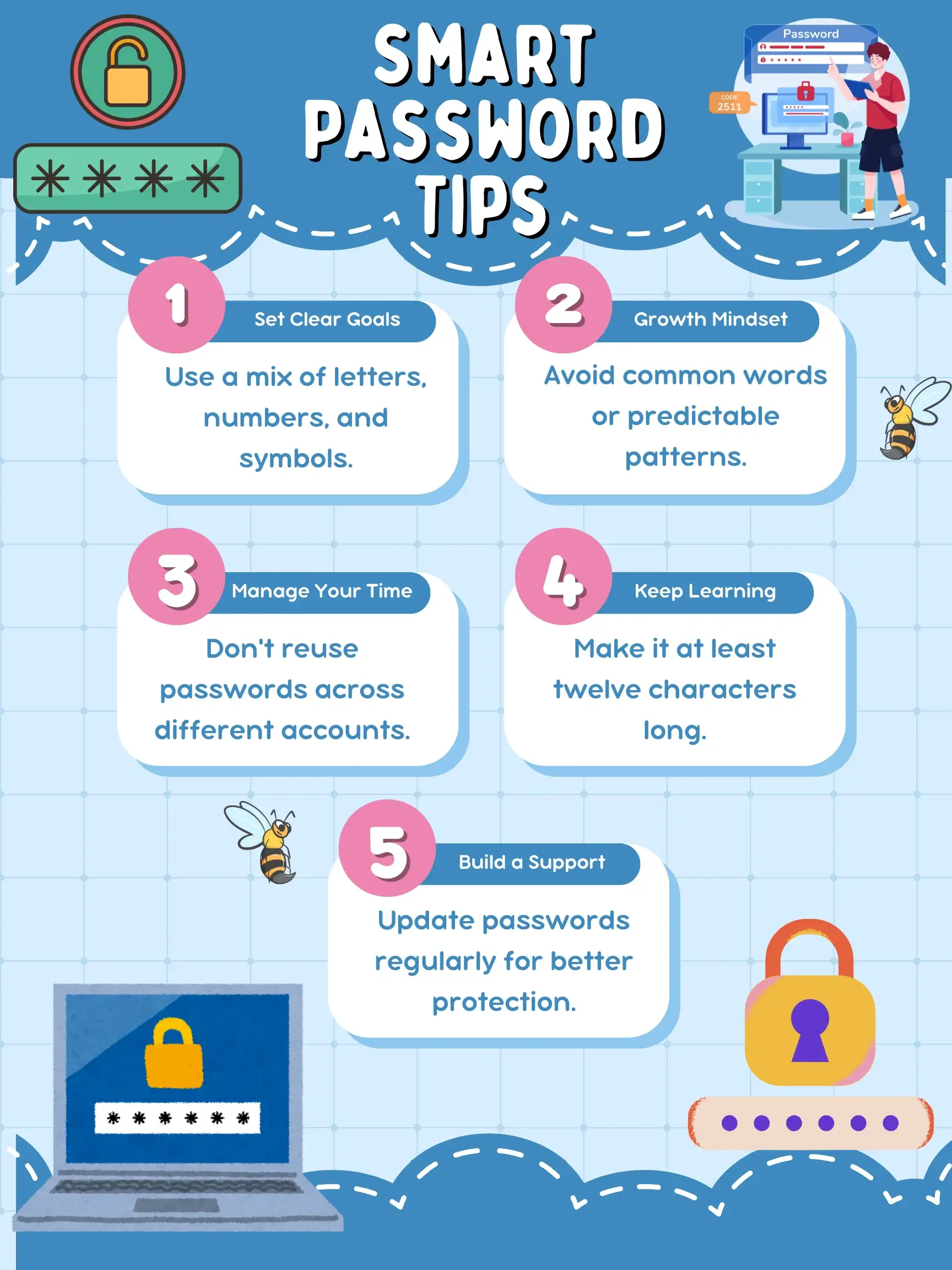
Use a mix of uppercase and lowercase letters, numbers, and symbols. The harder it is to guess, the better. Avoid easy patterns or personal information.
Never Reuse Passwords Across Sites
Each account should have its own password. Reusing one makes all your accounts vulnerable if just one is breached.
Let Password Managers Generate and Store Passwords
Password managers can create strong, unique passwords for every site you use. Let them handle it—they’ll choose ones that are hard to crack and all different. Plus, if you ever lose your password, you can recover access easily as your email address is tied to your account.
Choosing the Best Password Manager for You
With numerous options available, selecting the right password manager can be daunting. Before we share our top recommendations, here are some key factors to consider:
1. Security Features
Look for password managers that offer robust encryption methods, such as AES-256 bit encryption, which ensures your data remains secure. Also, check whether the manager offers two-factor authentication (2FA) for an added layer of protection.
2. Cross-Platform Compatibility
Choose a password manager that works seamlessly across various platforms and devices, including Windows, macOS, iOS, Android, and browser extensions. A synchronized experience ensures your passwords are accessible wherever you are.
3. User-Friendly Interface
Opt for a password manager with an intuitive interface. The easier it is to use, the more likely you’ll incorporate it into your daily routine. A user-friendly design simplifies tasks like adding, editing, and organizing your passwords.
4. Secure Password Generation
A strong password manager should include a password generator that creates complex, unique passwords for your accounts. This prevents the use of weak passwords that are easily guessable.
5. Cloud Storage and Backup
Check if the password manager offers secure cloud storage and regular backups of your encrypted data. This prevents data loss and allows for easy recovery in case of device failure.
6. Price and Subscription Model
Consider your budget and the pricing structure of the password manager. Some offer free versions with limited features, while others require a subscription. Evaluate whether the features provided justify the cost.
1. NordPass
Streamline your online experience with seamless integration of convenience and protection. Your passwords, credit card details, and essential notes are stored securely within a fortified digital vault, shielded by powerful encryption. With just one master password, access a world of ease. NordPass proactively monitors for potential risks and keeps you informed of any irregular activities. It effortlessly syncs across devices, ensuring your passwords are accessible whenever required. Try NordPass today and revolutionize your approach to password management.
Pricing Overview:
| Plan | Price | Billing | Notes |
|---|---|---|---|
| Free Plan | $0 | Monthly | Stores passwords, autofill, and secure notes on 1 device only. No advanced security features. |
| Premium Plan | From ~$1.49–$1.99/month | Annual billing (discounted multi-year plans available) | Includes unlimited password storage, cross-device sync, password health, and data breach scanner. |
| Family Plan | From ~$2.79–$3.99/month | Annual billing | Up to 6 users with shared vaults and full Premium features for each user. |
| Business Plan | From ~$3.59/user/month | Monthly or annual billing | Team vaults, admin dashboard, password sharing controls, and security policies. |
Pricing varies depending on region, promotions, and subscription length. Longer-term plans significantly reduce monthly cost.
2. Keeper
With Keeper, your passwords, credit card details, and vital notes find their safe haven within a heavily fortified digital vault. A single master password is your key to unlock a world of digital ease. Keeper remains vigilant, scanning for potential risks and promptly updating you about irregular activities. It synchronizes across your devices, ensuring your passwords are readily available whenever needed. Give Keeper a try today and transform your approach to password management.
Pricing Overview:
| Plan | Price | Billing | Notes |
|---|---|---|---|
| Keeper Personal | From ~$3.75–$4.50/month | Annual billing | Unlimited password storage, unlimited devices, secure sharing, autofill, identity storage, and emergency access. |
| Keeper Family | From ~$7.50–$8.99/month (5 users) | Annual billing | Includes 5 private vaults, shared folders, 10GB secure file storage, and all Personal features for each user. |
| Free Trial | 30 days | No billing during trial | Full access trial for new users |
3. LastPass
LastPass allows you to enjoy a new level of online serenity, merging convenience and protection. Your passwords, credit card details, and important notes are secured in a heavily fortified digital vault. One master password unlocks a realm of digital convenience. LastPass monitors your data, keeping you informed of any unusual activities. It synchronizes across your devices, ensuring your passwords are always accessible. Try LastPass today and simplify your password management routine.
Pricing Overview:
| Plan | Price | Billing | Notes |
|---|---|---|---|
| Free Plan | $0 | Monthly | Limited to 1 device type. Includes password storage, autofill, secure notes, and basic password sharing. |
| Premium | From ~$3.00/month | Billed annually | Unlimited passwords, access on all devices, dark web monitoring, security dashboard, and emergency access. |
| Families | From ~$4.00/month (6 users) | Billed annually | Includes 6 Premium accounts, shared family vaults, and full password management features for each user. |
| Teams | From ~$4.00/user/month | Billed annually | Admin console, shared folders, security policies, and user management for small teams (up to 50 users). |
| Business | From ~$7.00/user/month | Billed annually | Advanced admin controls, SSO integration, SIEM support, and enterprise security policies. |
| Business Max | Custom pricing | Billed annually | Advanced SaaS monitoring, unlimited SSO apps, contextual MFA, and enterprise-grade security tools. |
Pricing is based on official LastPass published rates. Final pricing may vary by region, promotions, and billing term. All business plans are per user unless otherwise stated.
4. 1Password
1Password combines simplicity and robust protection in one seamless package. Store all your passwords, credit card details, and secure notes in a highly encrypted vault. You only need to remember one master password. 1Password monitors the dark corners of the internet, alerting you if any accounts are compromised. It works across all your devices, keeping your passwords secure and accessible.
Pricing Overview:
| Plan | Price | Billing | Notes |
|---|---|---|---|
| Individual | $2.99/month | Billed annually ($35.88/year) | Unlimited passwords, unlimited devices, autofill, secure storage, and 14-day free trial. |
| Families | $4.99/month | Billed annually ($59.88/year) | Up to 5 family members, shared vaults, admin controls, and full premium features for each user. |
| Teams Starter Pack | $19.95/month | Billed annually ($239.40/year for up to 10 users) | Team vaults, admin console, secure sharing, and centralized access management. |
| Business | $7.99/user/month | Billed annually | Advanced security controls, SSO integration, activity logs, and enterprise management tools. |
| Enterprise | Custom pricing | Annual contract | Tailored security, onboarding, and enterprise-grade identity management solutions. |
Pricing is based on official 1Password published rates (2026). Final pricing may vary slightly by region, currency, and promotions. All plans include a 14-day free trial.
5. RoboForm
RoboForm helps users securely manage their passwords and streamline online form submission. It stores login credentials in an encrypted database, offers browser extensions and a standalone desktop app, and generates strong, unique passwords. Features include auto-filling forms, secure sharing of passwords, and two-factor authentication.
Pricing Overview:
| Plan | Price | Billing | Notes |
|---|---|---|---|
| Free Plan | $0 | Monthly | Unlimited passwords on a single device, secure password storage, autofill, password generator, and basic 2FA support. |
| Premium | From $1.87/month (≈ $22.40/year) | Billed annually | Unlimited devices, cloud backup, secure sharing, emergency access, password audit, and advanced 2FA features. |
| Family | From $2.98/month (≈ $35.80/year) | Billed annually | Up to 5 Premium accounts, shared folders, centralized billing, and full premium features for each user. |
| Business | From ~$3.33/user/month | Billed annually | Admin dashboard, role-based access, secure team sharing, Active Directory integration, and enterprise security controls. |
Pricing is based on official RoboForm published rates (2026). Discounts may apply for first-time users, and renewal pricing may be higher after the initial term.
6. Sticky Password
Sticky Password orchestrates the creation of robust passwords and stores them securely. Access is via a master password or biometrics (fingerprint or facial recognition). It also auto-fills login forms, combining convenience with strong security protocols. Advanced encryption ensures your data remains fully protected.
Pricing Overview:
| Plan | Price | Billing | Notes |
|---|---|---|---|
| Free Trial | $0 | 30 days | Full Premium access for 30 days. No credit card required. Includes password manager features, but excludes Dark Web Monitoring. |
| 1-Year Premium | $29.99 (discounted from $39.99) | Annual billing | Includes unlimited passwords, autofill, secure sharing, cloud sync, emergency access, and Dark Web Monitoring (first year included). |
| Lifetime License | $79.99 (discounted from $199.99) | One-time payment | Lifetime access to Premium features. Includes 1 year of Dark Web Monitoring (renewable separately afterward). |
| Teams / Business | $29.99 per user/year | Annual billing | Admin console, secure team sharing, role-based access, secure sync, and Dark Web Monitoring for all members. |
Pricing based on official Sticky Password published rates (2026). Promotional discounts may vary by region and time. Lifetime license is a one-time purchase with optional renewal for Dark Web Monitoring.
If you enjoyed this, you might also like…
➤ 8 Proven Ways to Speed Up Your WordPress Website